Learn by doing
Each chapter ends with something real on your screen: a dashboard, a detection, or an answer about your own network.
Overnight Hercules for Network Security takes you from curious beginner to working security analyst. You won't just read about threats: you'll build a real monitoring lab and hunt them on your own network.

Why this book
Most security books are either all theory or written for enterprise teams with enterprise budgets. This one treats your home network as a training ground. You'll get the same open-source tools and the same habits a working analyst uses in a security operations center.
Each chapter ends with something real on your screen: a dashboard, a detection, or an answer about your own network.
Go beyond what the tools do. Learn what to look for, how to read alerts, and how to tell a real threat from noise.
Everything runs on free, open-source software. Start with a ready-made virtual machine in an evening, no new hardware needed.
What you'll learn
Audit antivirus, firewalls, routers, open ports, and Wi-Fi security the way an auditor would.
Deploy Suricata and OpenSearch to capture flows, alerts, and DNS from your own network.
Use NetFlow baselines and week-over-week comparisons to spot exfiltration before it becomes a headline.
Turn thousands of IDS alerts into a short, prioritized list you can act on.
Hunt for DNS tunnels, C2 beacons, and suspicious lateral movement, and write detections with Sigma rules.
Ingest STIX2 feeds and use AI assistants to speed up analysis without losing your judgment.
Inside the book
Hercules earned his name one labor at a time. You'll do the same, and each of the twelve hands-on chapters comes with a free, step-by-step companion guide. Chapter 13, Next Steps, shows you where to go from there.
Lock down the machine in front of you first. Check your antivirus and firewall, then find the open ports that act as unlocked doors.
Open the companion guideAudit your router's settings, then stand up a network security monitoring lab. Use a ready-made VM to start in minutes, or build a full hardware sensor.
Open the companion guideRead what your network is actually saying. Explore flows, alerts, DNS, and HTTP records the way an analyst does during a forensic investigation.
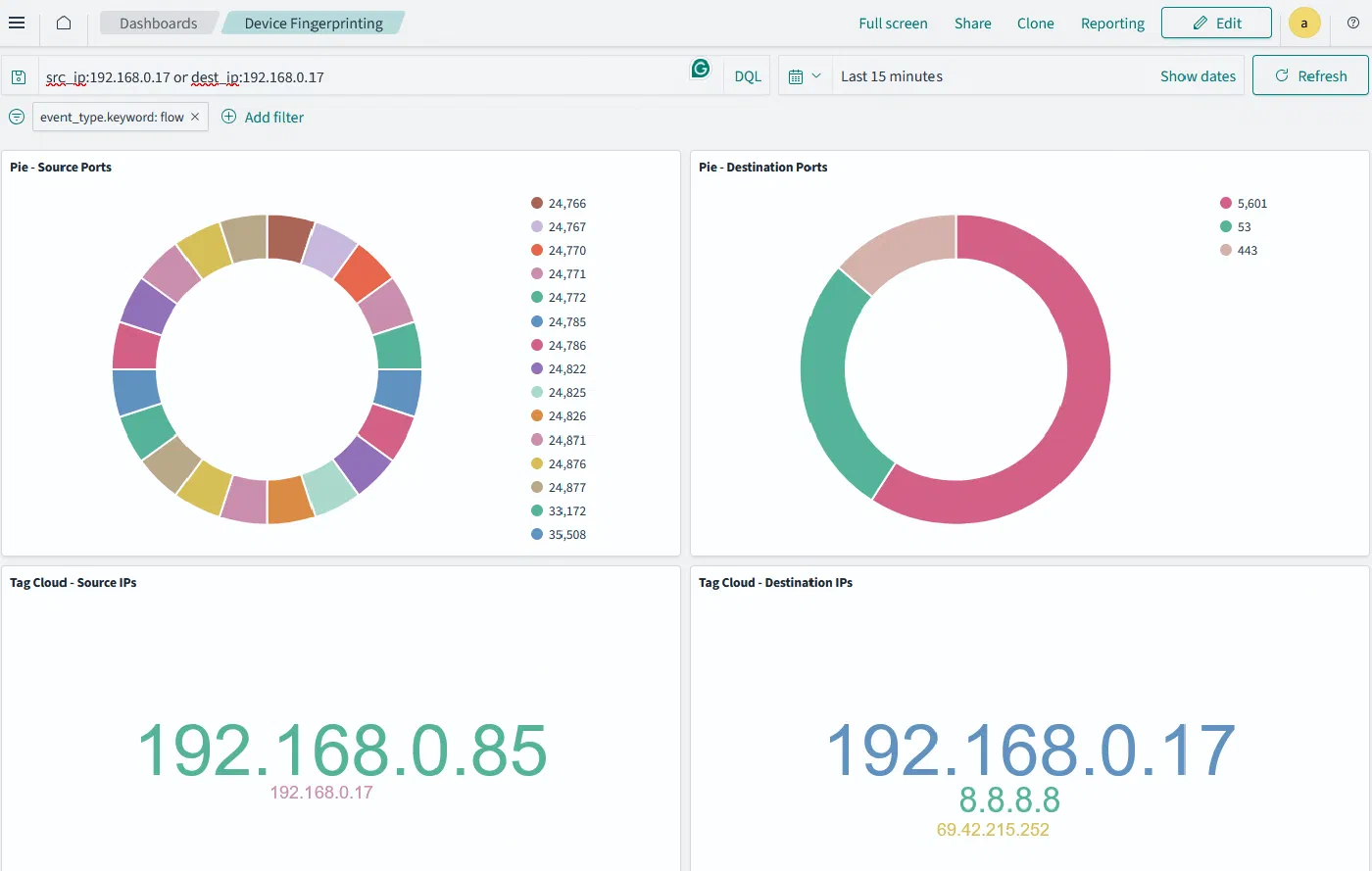
Open the companion guideBuild an inventory of every device on your network and a fingerprinting dashboard that exposes what each one is doing, so rogue devices stand out.
Open the companion guideFind out what the internet can reach. Map open ports on your edge devices and spot servers you didn't know you were running.
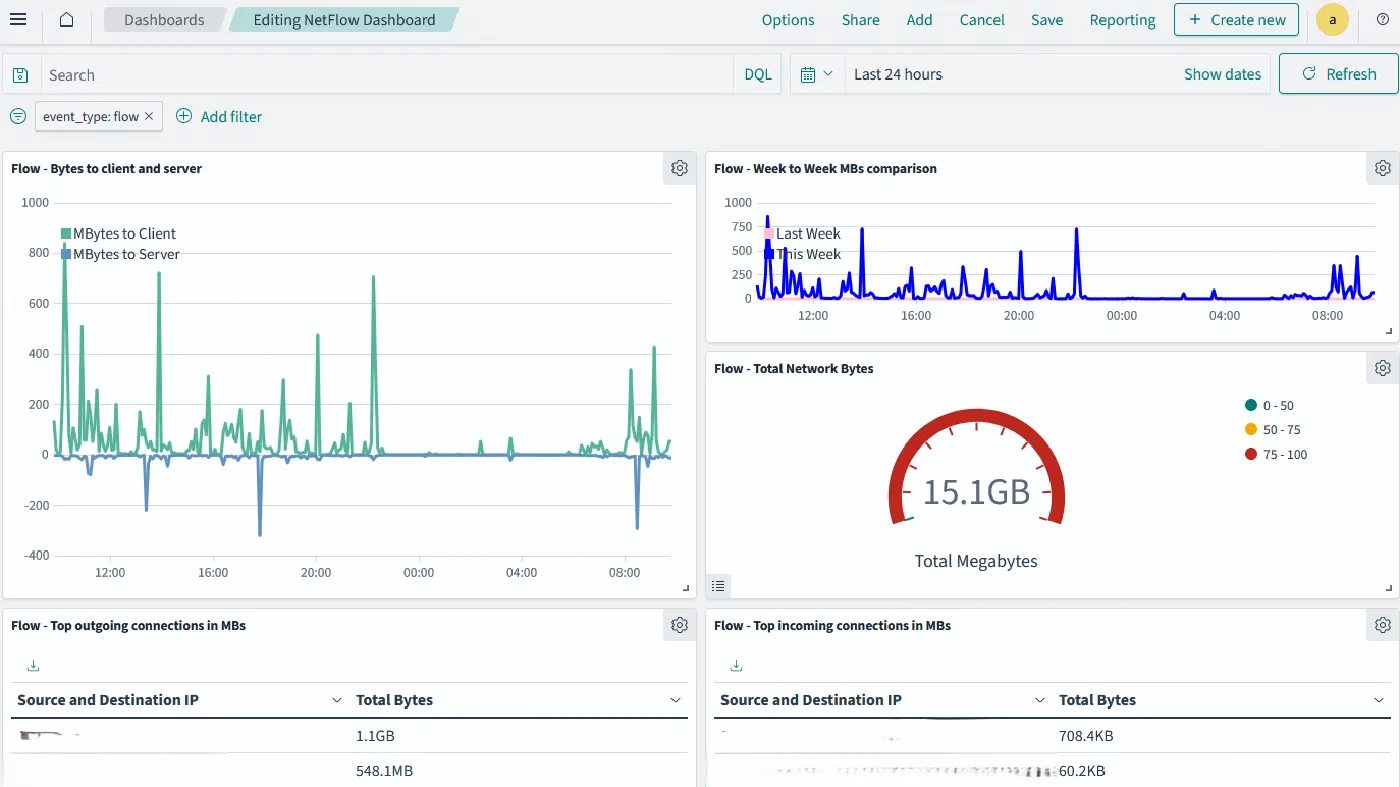
Open the companion guideCompare this week's traffic with last week's, rank the heaviest talkers, and catch the unusual outbound transfers that signal exfiltration.
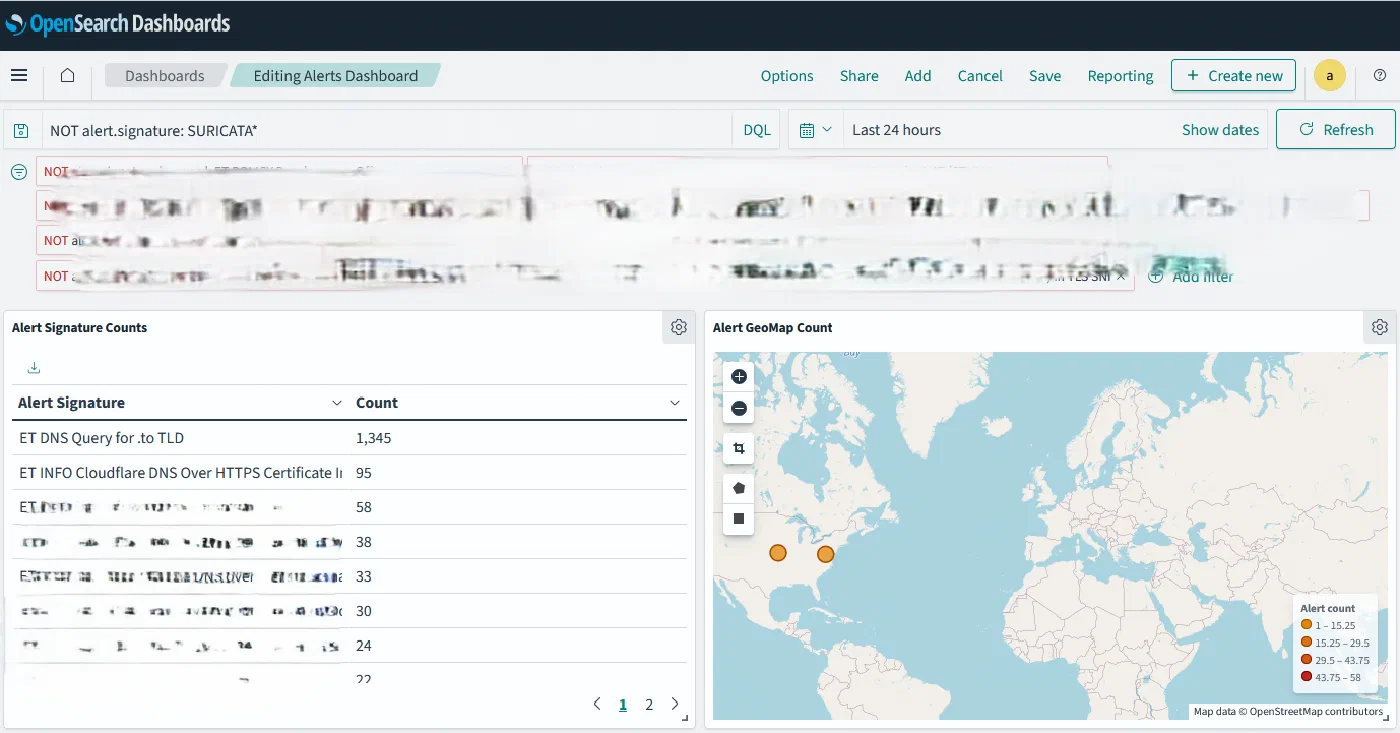
Open the companion guideTurn raw Suricata alerts into a working triage dashboard with signature counts, geo maps, and the top offending IPs over IPv4 and IPv6.
Open the companion guideHunt for DNS tunnels and command-and-control traffic, then apply Sigma rules to detect malware behaviour automatically.
Open the companion guideNot every threat comes from outside. Watch east-west traffic between internal hosts and flag the lateral movement that signature-based tools miss.
Open the companion guideExtend your monitoring past the home router. Track VPN sessions and keep an eye on the systems that live outside your walls.
Open the companion guideUse AI assistants to write complex time-series queries in seconds, and learn how to prompt them precisely enough to trust the result.
Open the companion guideMove from reacting to anticipating. Ingest STIX2 threat-intelligence feeds and match known indicators of compromise against your own traffic.
Open the companion guideWhat you'll build
These are screenshots from the book's lab. By the end you'll have built every one of them yourself.
Your lab, your pace
Import one virtual machine into VirtualBox and you're exploring real security data in OpenSearch the same evening.
Build a dedicated IDS box with a network tap and port mirroring that watches every device in your home.
Who it's for
Turn coursework into a portfolio project you can demo in an interview.
Get a guided, practical path into one of tech's most in-demand roles.
Add security monitoring and threat hunting to the skills you already have.
Finally find out what every device on your network has been doing.
If you already run a SOC, this book will feel familiar. It's designed to get newcomers to that level.
Questions
No. If you can install software and open a terminal, you are ready. The book starts with securing your own computer and builds up from there.
No. The easy lab path uses a free prefabricated virtual machine that runs in VirtualBox. The hardware build, about $300, is optional and only needed if you want to monitor your whole home network.
The companion guides are the click-by-click lab steps, with queries, settings, and screenshots. The book explains the why, including how attacks work, what the data means, and how analysts reason through an investigation.
Any computer that can run VirtualBox will work. The lab runs inside a virtual machine, and the endpoint chapters cover both Windows and Mac/Linux commands.
Suricata for intrusion detection and network flow data, OpenSearch and OpenSearch Dashboards for analysis and visualization, Sigma rules for detections, and STIX2 feeds for threat intelligence. All of them are free and open source.
The book is available on Amazon and from other major book retailers. Get it on Amazon.

Thirteen chapters, free companion labs, and open-source tools are all you need to learn to defend a network.